Reflection
How Creative Professionals Can Use AI (Instead of Being Replaced by It)
AI is unlikely to fully replace skilled creatives. The real risk is refusing to learn AI and letting others outpace you. When you treat AI as a virtual camera and assistant, not a replacement, you expand your creative options instead of losing your career.
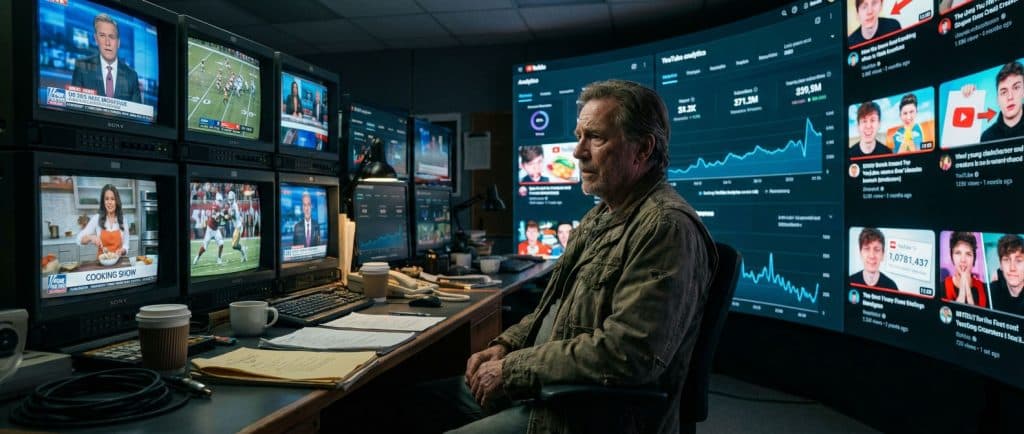
AI is unlikely to fully replace skilled creatives. The real risk is refusing to learn AI and letting others outpace you. When you treat AI as a virtual camera and assistant, not a replacement, you expand your creative options instead of losing your career.
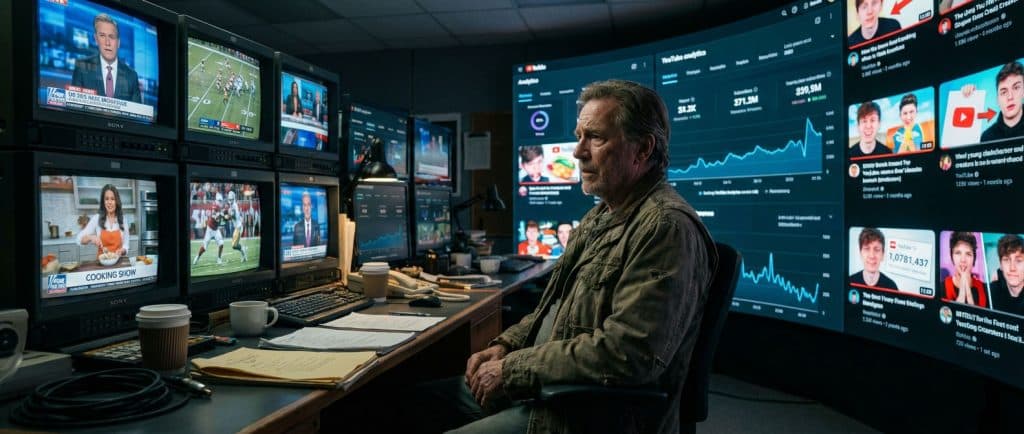
Why Are Creatives So Worried About AI Right Now?
If you work in film, TV, design, or content creation, you've probably felt it:
- Clients asking about "AI video."
- Tools promising to "do the work for you."
- Headlines predicting the end of creative jobs.
This article is about AI for creative professionals who want to stay relevant without abandoning their craft. The biggest threat to your career is not artificial intelligence itself. It's your unwillingness to adapt to it.
I've lived through multiple production revolutions. The people who thrive are never the ones with the "right" tools. They're the ones who are willing to change how they work.
Is AI Really Going to Replace Creative Professionals?
Short answer: no, not the skilled ones. But it will replace parts of your workflow, and it will replace creatives who refuse to adapt.
We've seen this before:
- Digital cameras didn't erase cinematographers.
- Non-linear editing didn't erase editors.
- YouTube didn't erase TV producers.
Each shift changed how we work, not whether the work mattered.
AI is following the same pattern, just faster. It's another leap in tooling, not the end of human creativity.
Why Your Willingness to Adapt Matters More Than the Tech
The most dangerous myth is that AI is something that "happens" to you.
In reality, the biggest risk is:
- Clinging to old methods because they feel safe.
- Ignoring new workflows because they seem beneath you.
- Watching others experiment while you wait for the "right time."
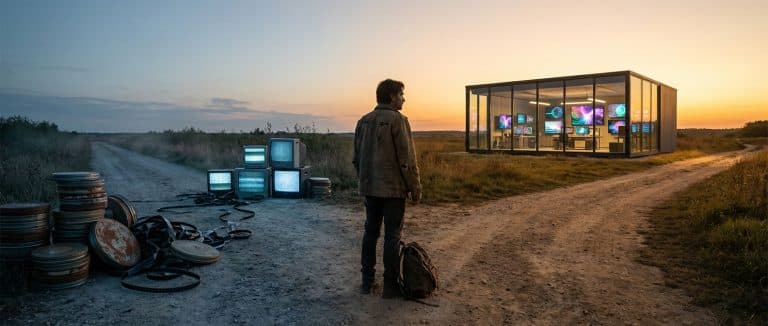
Think about the cinematographers who refused to move from film to digital. They weren't wrong that film had a special look. They were wrong to assume the industry would wait for them.
The tools changed. The need for strong visual storytelling did not. The same is true now with AI.
Why Creative Expertise Is Still Essential in an AI World
AI does not wake up with ideas.
It does not understand audience, story, brand, or emotion on its own. It needs you.
When you use AI for creative work, you're still relying on the same foundation:
- Composition and framing.
- Lighting and mood.
- Narrative structure.
- Emotional pacing and timing.
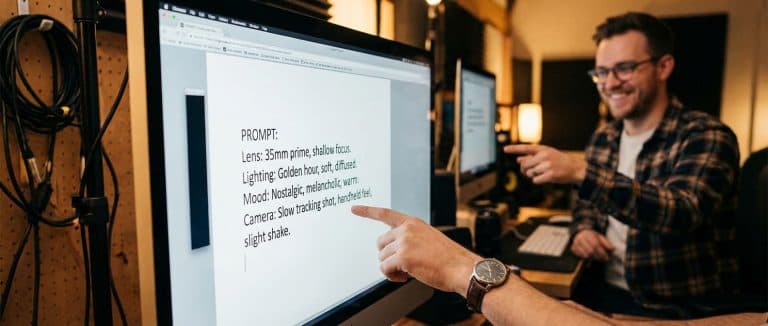
Compare two prompts:
- Novice: "man walking out of door, smiles at camera"
- Professional: "late-afternoon light, 50mm lens look, man in a tailored navy suit steps out of a law office, hesitates, then smiles directly into camera; slow floating gimbal move, shallow depth of field, warm grade"
Both use AI. Only one uses creative direction.
This is what AI for creative professionals really is: translating your existing visual and storytelling instincts into precise instructions a model can understand.
What Happens When You Ignore New Platforms (Like I Did With YouTube)?
Early in my career, I produced over 900 television shows.
When YouTube started taking off, I dismissed it as:
- "User-generated noise"
- "Not real TV"
- "Not where serious work happens"
While I stayed focused on traditional broadcasting, creators on YouTube:
- Built loyal audiences.
- Developed new formats.
- Turned channels into multi-million-dollar businesses.
Here's the painful part: I already had all the skills and gear to succeed there: cameras, crews, storytelling, production discipline.
What I lacked was adaptability.
YouTube didn't erase TV. It democratized distribution. The same thing is happening now with AI. The question isn't, "Will AI kill my job?" It's, "Will I let other people learn this faster than I do?"
How Does AI Actually Fit Into Professional Creative Workflows?
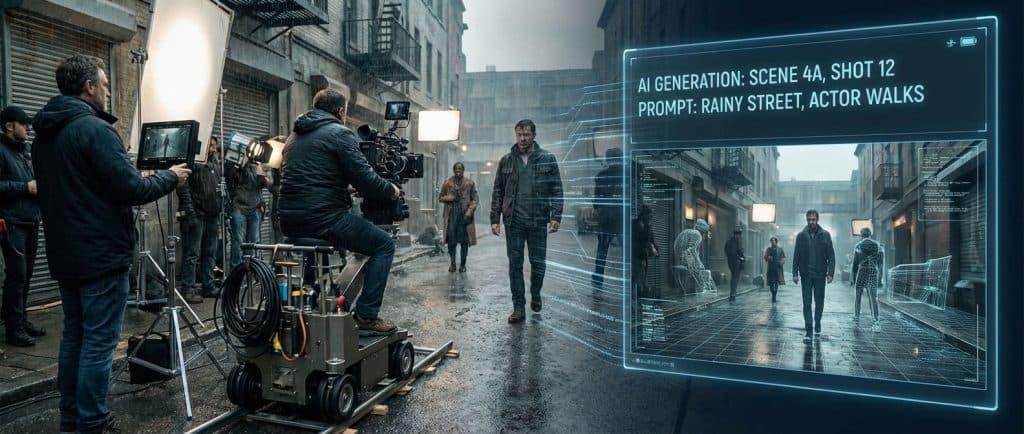
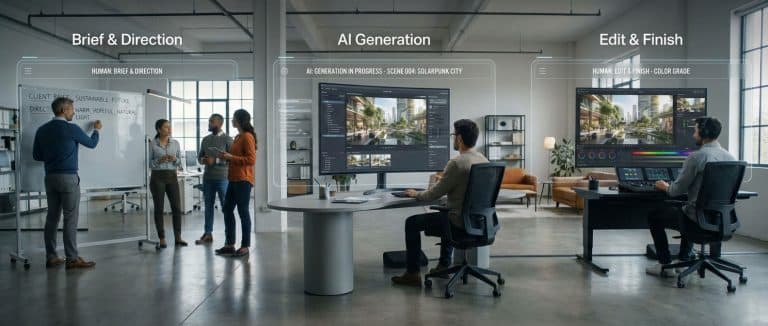
For working creatives, AI is not a one-click magic trick. It's more like adding a virtual camera, set, and assistant into your process.
A simple way to think about it:
- Human: Brief & Direction. You define the story, audience, tone, and visual language. You still decide what matters.
- AI: Generate Scenes & Elements. AI tools generate camera-real scenes, environments, motion elements, or design options based on your direction.
- Human: Craft & Edit. You select, refine, cut, grade, mix, and finish. You shape the output into something emotionally resonant and on-brand.
- Human: QA & Delivery. You approve the final piece, ensure it matches the original intent, and deliver to client or audience.
At Fusion Media AI, we call this model Human + AI + Human. Humans plan and finish every project. AI operates as a virtual cinema camera and assistant inside a professional pipeline.
What Can Creatives Learn from Past Tech Shifts (Like the Sound Revolution)?
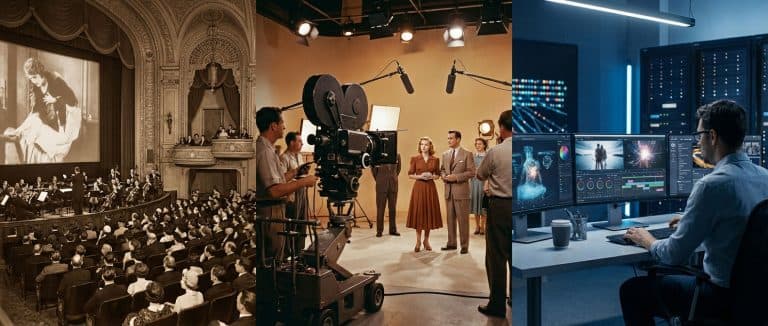
When synchronized sound arrived in cinema, entire roles changed:
- Silent-film theaters had live orchestras.
- Sound-on-film technology looked like a direct threat.
But music in movies didn't vanish. It evolved:
- New roles appeared: film composers, sound designers, re-recording mixers.
- Musicians who adapted to the new medium became indispensable.
We're in a similar moment with AI:
- Some traditional roles will shrink.
- New specialties will emerge: prompt directors, AI scene artists, virtual production leads, hybrid editors who can shape both captured and generated footage.
If you understand story, performance, and image, you're well-positioned. You just need to attach those skills to new tools.
How Does AI Democratize Creativity (and Raise the Bar)?
AI is doing to production what:
- DSLR cameras did to photography.
- Non-linear editing did to post.
- Social platforms did to distribution.
The upside:
- More people can create content.
- Small teams can produce at a higher visual level.
- You can explore ideas faster and pitch more concepts.
The downside:
- There's more mediocre content than ever.
- "Good enough" is easier to achieve.
- Standing out requires even better creative judgment.
Professional creators who combine their craft with AI tools will:
- Ship more work, in more variations.
- Offer impossible or expensive shots at manageable cost.
- Maintain studio-level quality while others play with gimmicks.
The bar rises. Your expertise is how you clear it.
Which Creative Jobs Are Safest from AI Right Now?
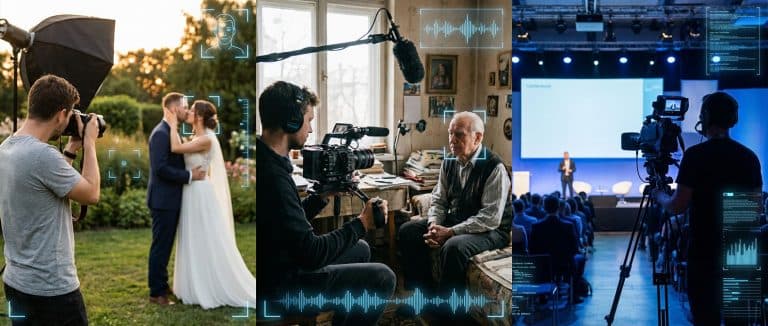
No job is 100% "safe," but some categories remain deeply human-centered:
- Weddings and family photography. People want a human presence capturing real, messy, emotional moments.
- Live events and real-time coverage. Conferences, sports, concerts: these require on-the-ground judgment and instant adaptation.
- Documentary filmmaking. Access, trust, and real human interaction are hard to fake.
- Narrative work with human actors. Human performance and on-set collaboration still matter deeply, even if AI assists with environments or VFX.
- Custom client collaborations. Strategy, workshops, stakeholder management, and brand nuance still depend on human interaction.
These fields will absolutely integrate AI for previsualization, environments, post, and delivery. But they still need you in the loop.
How Creative Professionals Can Start Adapting to AI Today
You don't need to rebuild your entire career around AI. You just need to attach AI to what you already do well.
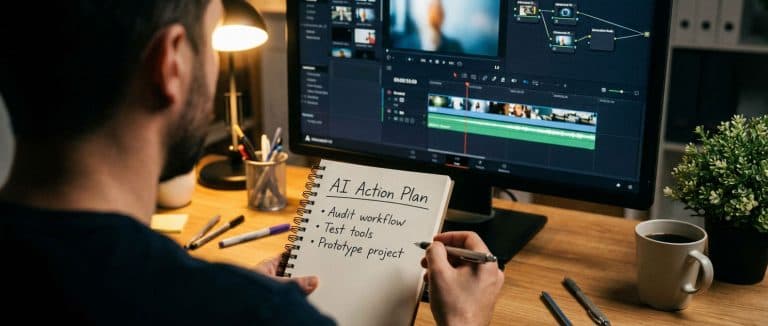
Here's a practical starting plan:
1. Audit Your Workflow for Repetitive Work
Look at your last few projects and highlight tasks that feel like grind:
- Versioning and resizing.
- Removing filler, silences, or background noise.
- Creating thumbnails, titles, or multiple aspect ratios.
- Generating quick mood frames or style references.
These are prime candidates for AI assistance.
2. Choose One AI Tool to Go Deep On
Don't chase everything. Pick one category:
- AI video generation / scene creation.
- AI image generation for concept frames.
- AI-assisted editing or audio cleanup.
- AI scripting / outline support.
Commit to using it on real work for 30 days.
3. Use the Human → AI → Human Pattern
Structure your experiments like this:
- Human: Write a clear, detailed brief (client, story, visual language).
- AI: Generate options (shots, scenes, style frames, rough cuts).
- Human: Select, refine, and finish like you normally would.
4. Rebuild a Small Existing Project With AI in the Loop
Take a 30–60 second piece you've already made and ask:
- What if AI generated the background plates?
- What if I used AI to previsualize shots before filming?
- What if AI handled first-pass edit or sound cleanup?
Compare time, cost, and quality. You'll see where AI fits your style.
5. Turn Experiments Into Offers
Once you find something that works, position it clearly:
- Faster turnarounds without sacrificing quality.
- More creative variations per concept.
- Access to "impossible" scenes or visuals without big shoots.
You're not selling "AI." You're selling better outcomes powered by AI.
How to Use AI Without Losing Your Creative Identity
A common fear is: "If I start using AI, am I cheating?"
Here's the reality:
- You already use tools: cameras, lights, lenses, software.
- AI is another tool in that stack.
- Your judgment about what to say and how it should feel is still the core value.
To keep your creative identity intact:
- Be clear on your taste and point of view first.
- Use AI to explore options, not to decide the final direction.
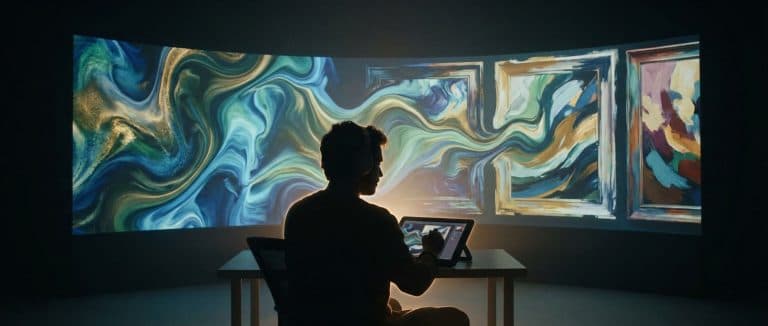
- Treat AI outputs like raw footage or rough sketches that you then refine.
AI expands the sandbox. You still decide what gets built.
The Economic Reality of AI for Creative Professionals
Every major technology shift creates short-term disruption and long-term opportunity.
We've seen this pattern:
- Gear gets cheaper and better.
- More people enter the market.
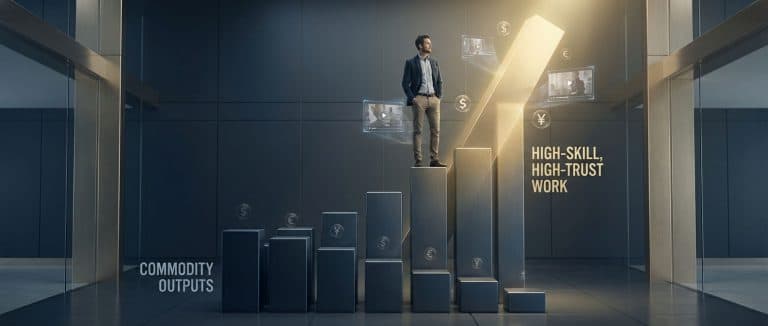
- Some rates compress at the bottom.
- Demand for high-skill, high-trust work increases.
AI will:
- Compress prices for low-skill, commodity outputs.
- Expand the market for high-quality content (because it's easier to test and deploy).
- Create new roles and hybrid specializations.
Your goal: move up the value chain, not compete with "generate video" buttons.
Clients will always pay more for:
- Strong creative direction.
- Reliable delivery.
- Studio-level quality.
- Someone who can orchestrate humans and AI into a coherent, on-brand result.
Will You Adapt to AI or Get Left Behind?
The shift is not theoretical. It's happening now.
You have two options:
- Resist, delay, and hope it goes away.
- Engage, experiment, and decide how AI fits your work.
AI for creative professionals is not about surrendering your craft. It's about:
- Protecting your relevance.
- Expanding what's possible on each project.
- Saying "yes" to ideas that were previously too expensive or complex.
The camera changed. The tools changed. The demand for powerful stories and images did not. Don't let fear of the future stop you from shaping it.
About the Author & Fusion Media AI
I'm the founder of Fusion Media AI (FMAI), a studio-grade AI video production studio. We blend human creative direction with AI-generated scenes and elements, then human editors, colorists, and sound designers finish everything to studio standards: what we call Human + AI + Human.
We work with agencies, brands, private practices, law firms, production companies, and creators who need more and better video without heavy shoot days or extra headcount.
If you're a creative professional, agency, or brand leader wondering how to bring AI for creative professionals into your workflow without losing quality or control, there are two simple next steps.
Corey HoltgardFounder & Creative Director, Fusion Media AI